01
Recommended
Browse your own shelf like a streaming app. Rows like Recently added and Not on Plex yet are built from the movies you own, every poster shows where the disc lives, and you choose which rows you see.
DiscTally keeps your physical movie collection in one place. Find a disc on the shelf in seconds, see what's already on Plex, and buy the next one at the right price.
The demo is the real app with a made-up collection: no sign-up, and nothing you change is kept.
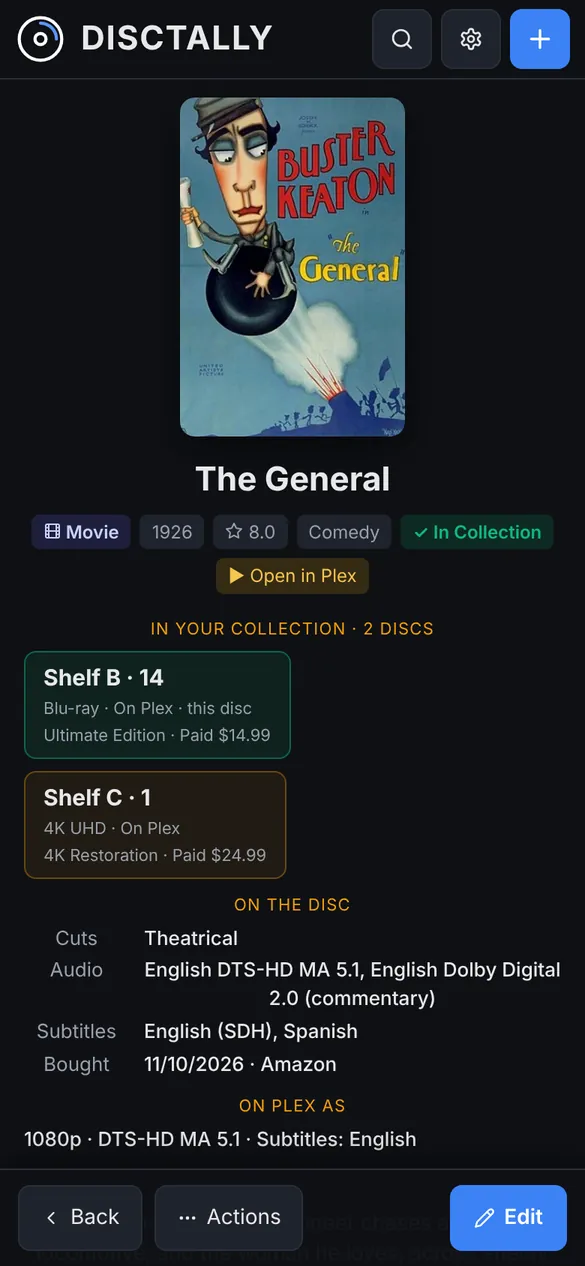
The real app on a phone, with a sample collection.
Streaming comes and goes. Your shelf doesn't. DiscTally is the home base for a collection you actually own.
Search your collection and go straight to the right shelf and slot. No more digging through boxes.
Keep a Shopping List with current prices, so you buy the regular Blu-ray when it's cheap.
Connect your own Plex server and see which of your discs are already on it and which aren't yet.
Locations, slots and formats your way. Share read-only with family, and export everything to Excel any time.
These are real screens from the app, with a made-up sample collection.
Browse your own shelf like a streaming app. Rows like Recently added and Not on Plex yet are built from the movies you own, every poster shows where the disc lives, and you choose which rows you see.
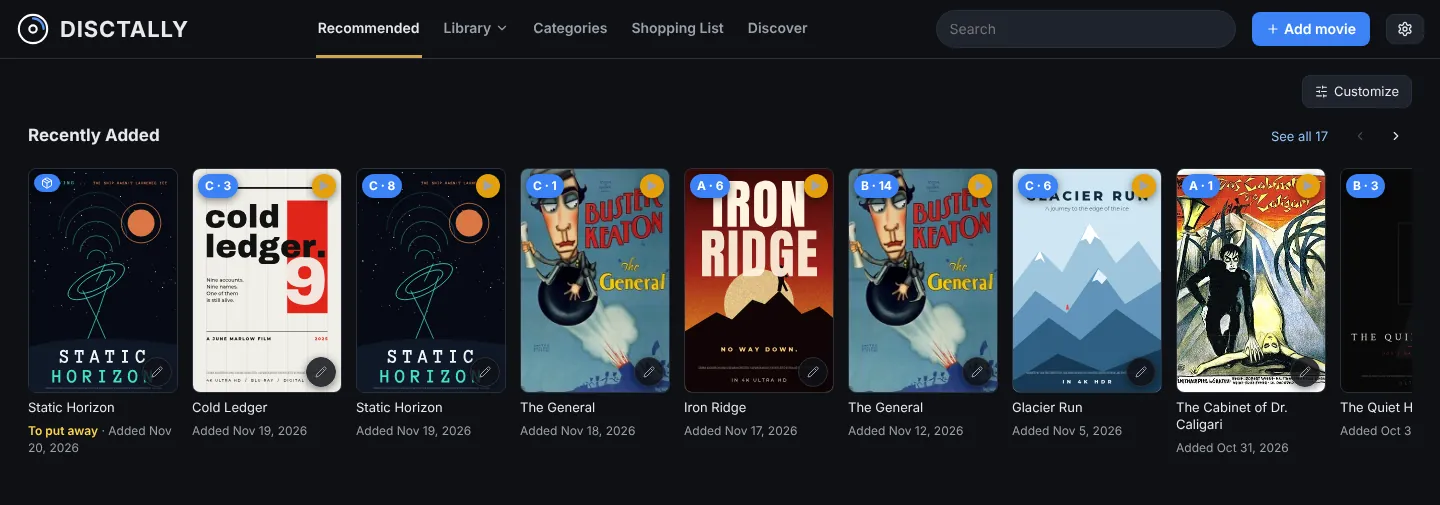
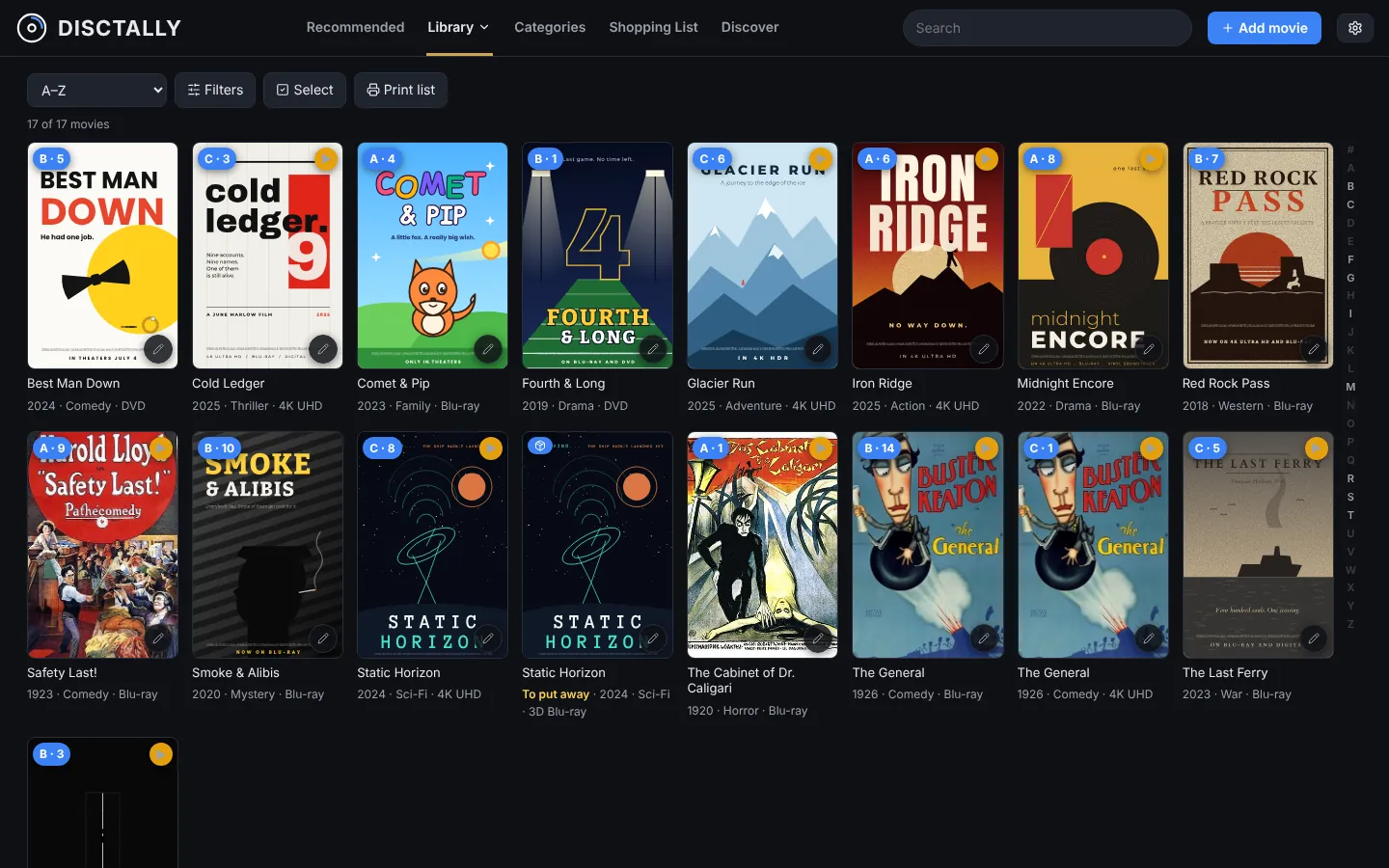
Every disc has a location and a slot, right on its poster. Filter by shelf, format, genre or what's on Plex, sort A to Z or by shelf, and print a shelf's list to check it against what's actually there. TV box sets get a side of their own: one tap on Movies or TV.
Own a movie twice, on Blu-ray and 4K? Each disc keeps its own shelf and slot, edition, what you paid, its cuts, audio tracks and subtitles. Underneath, DiscTally shows exactly how that disc is on your Plex.
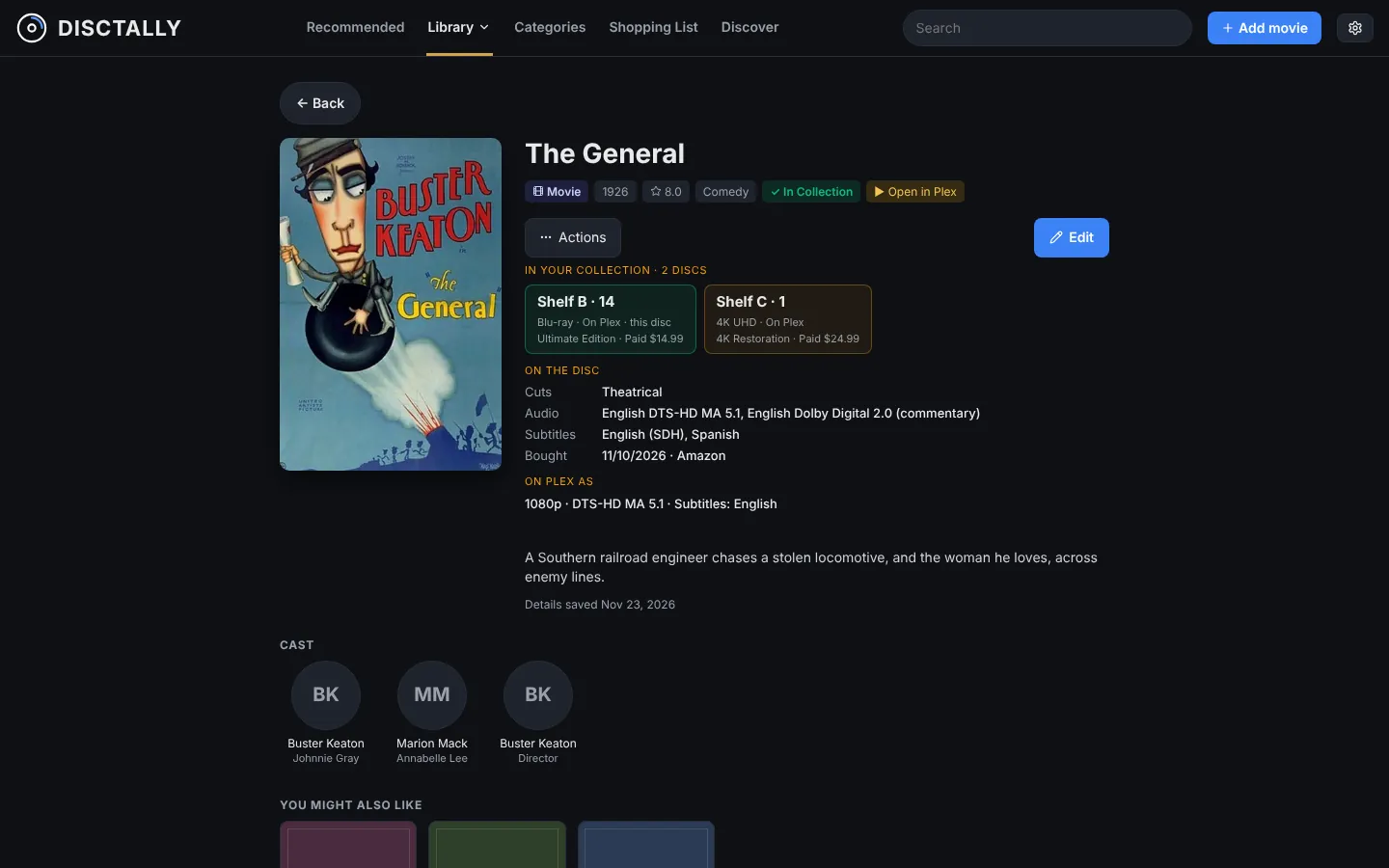
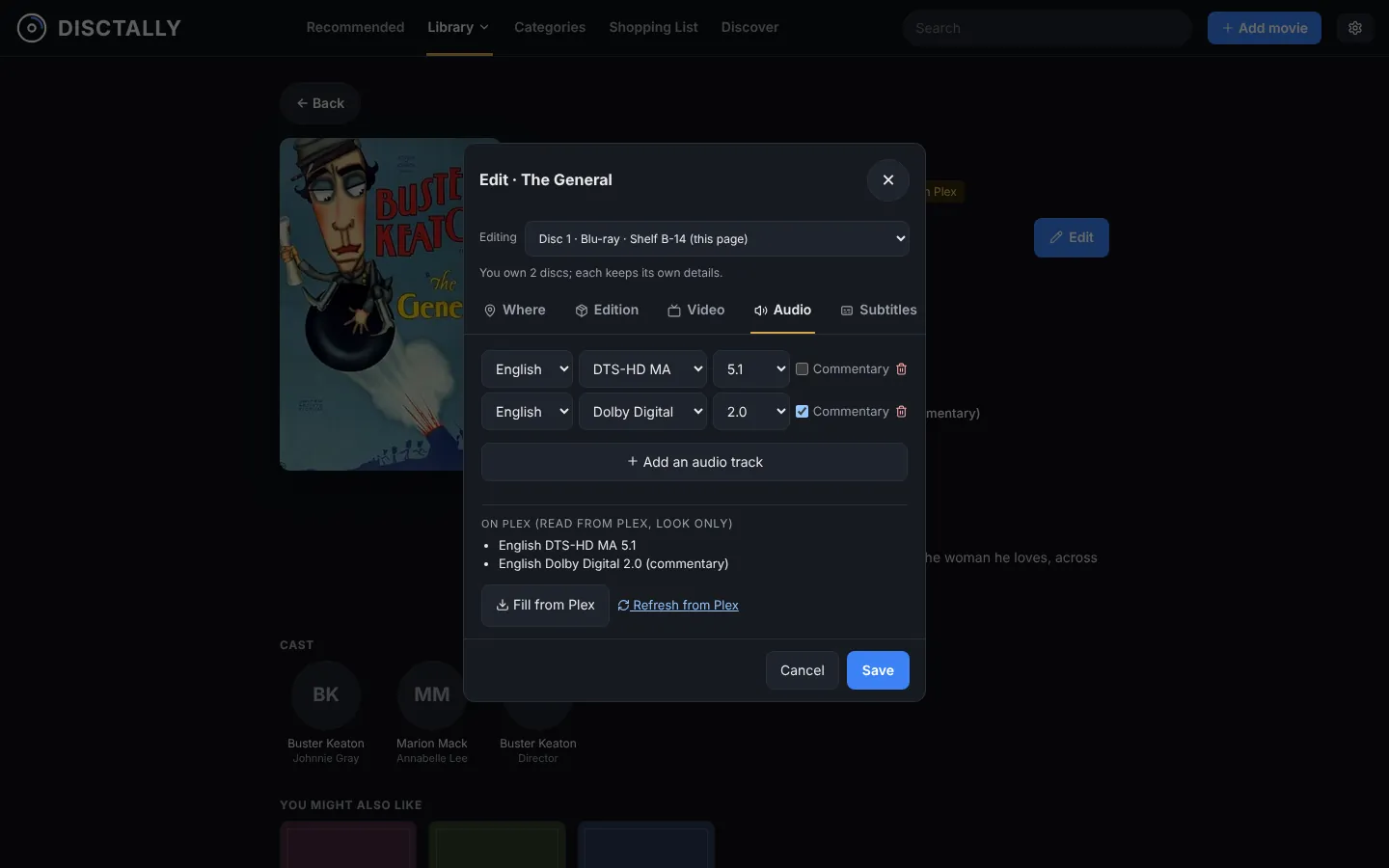
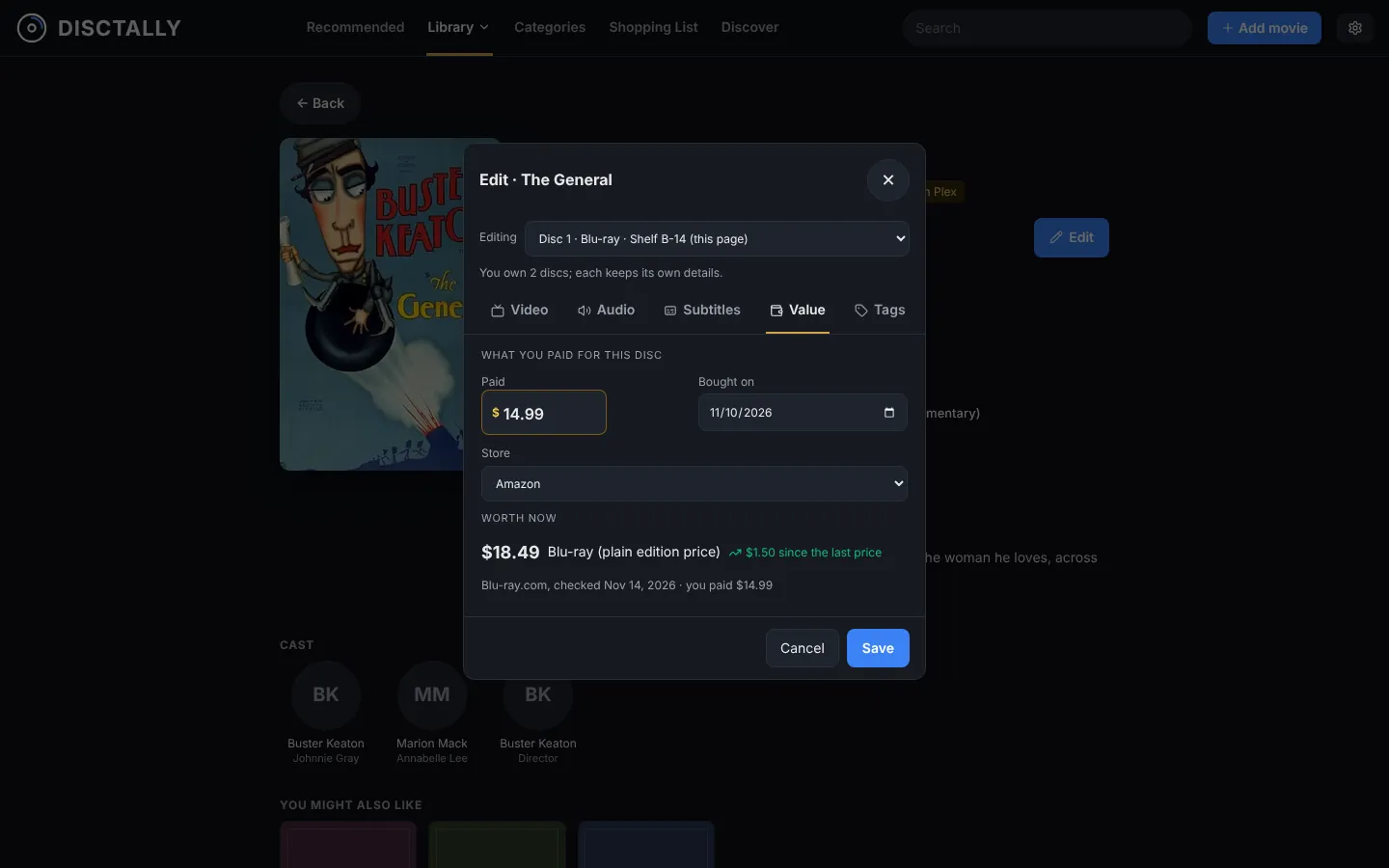
Where it lives, edition, video, audio, subtitles, value and tags each get their own tab, not a wall of boxes. Pick from real lists, fill the tracks in from Plex with one tap, and see the barcodes you've scanned for it.
DiscTally checks a current price for every disc you own in the background, matched to its format, about once a month. The Value tab shows what it's worth now next to what you paid, when it was checked, and whether it went up or down.
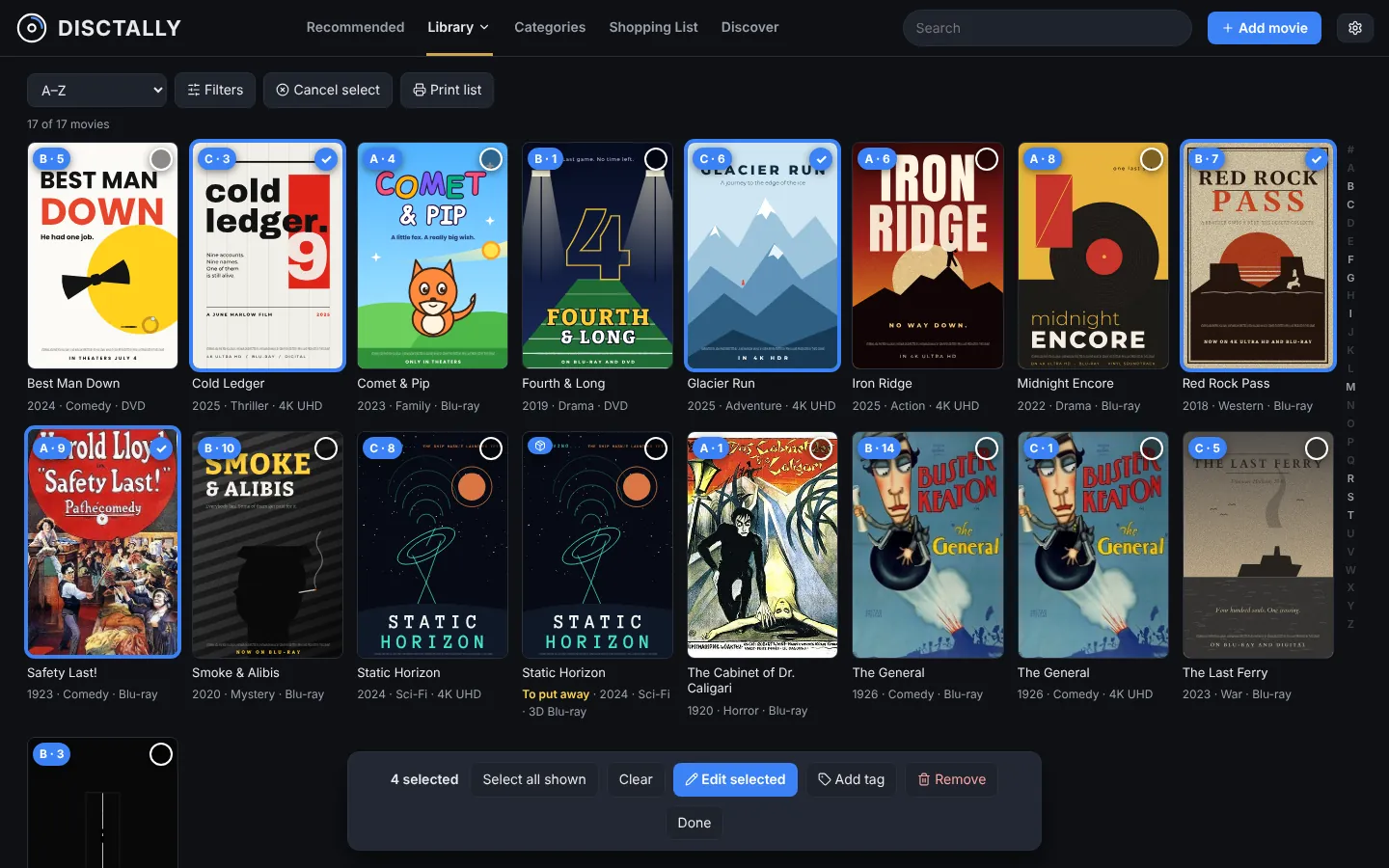
Just bought twenty movies? Select them in the Library and set the shelf, format, edition or tags for all of them at once, or tap the pencil on any poster to edit it without leaving the grid.
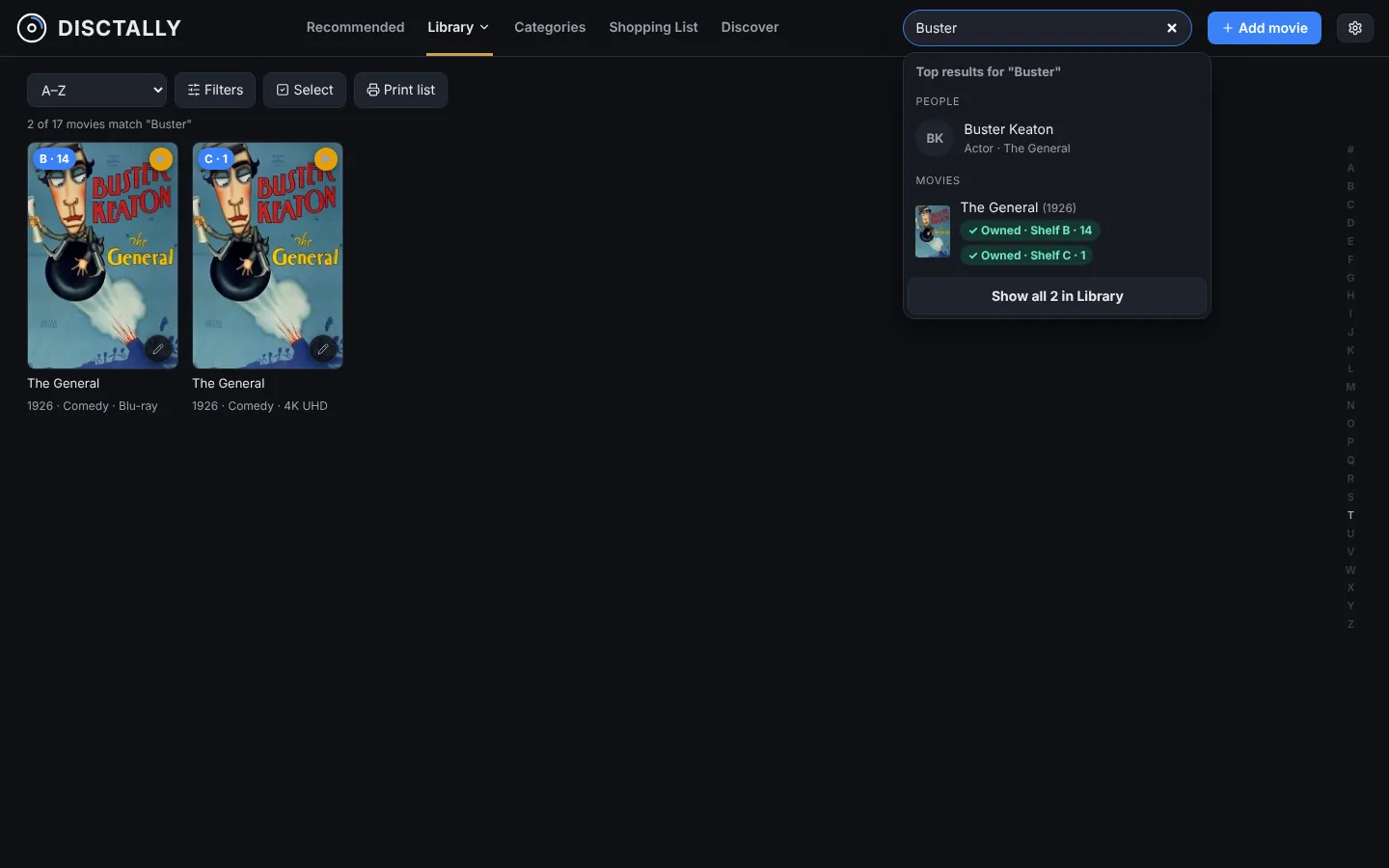
Results show up as you type, on every tab. Search an actor and see the movies of theirs you own and exactly where each disc is.
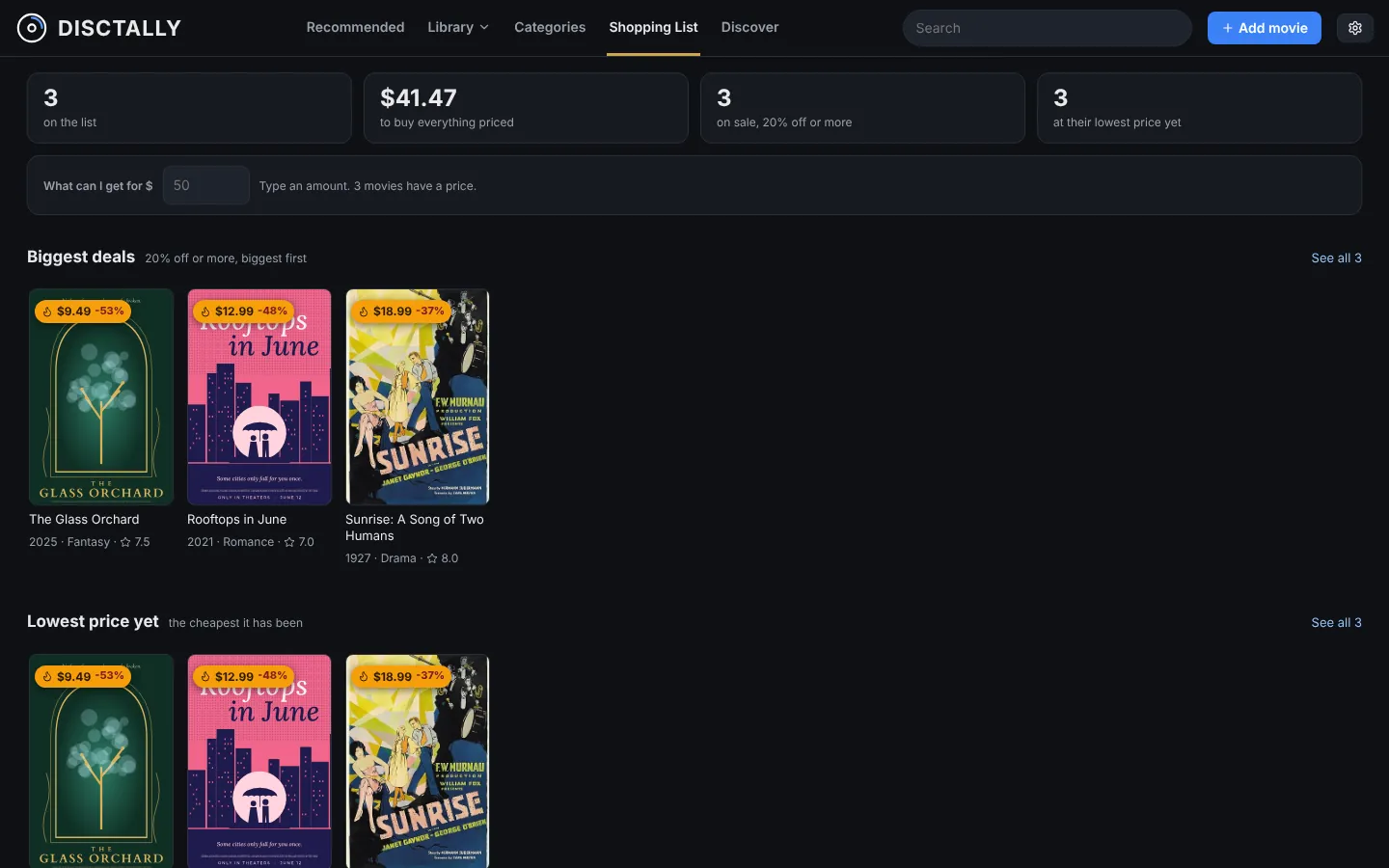
Add the movies you want and DiscTally keeps an eye on prices. It shows what everything would cost, what's on sale, what's at its lowest price yet, and what you can get for a budget.
Every price check finds the cheapest 4K, Blu-ray and DVD on its own, with the cover, edition, sale and lowest price yet. Pick the format you buy for your whole collection, or a different one for a single movie, and the Shopping List and budget follow. Prices are for US discs only, never imports, and you can pin the exact listing a movie should be priced from.
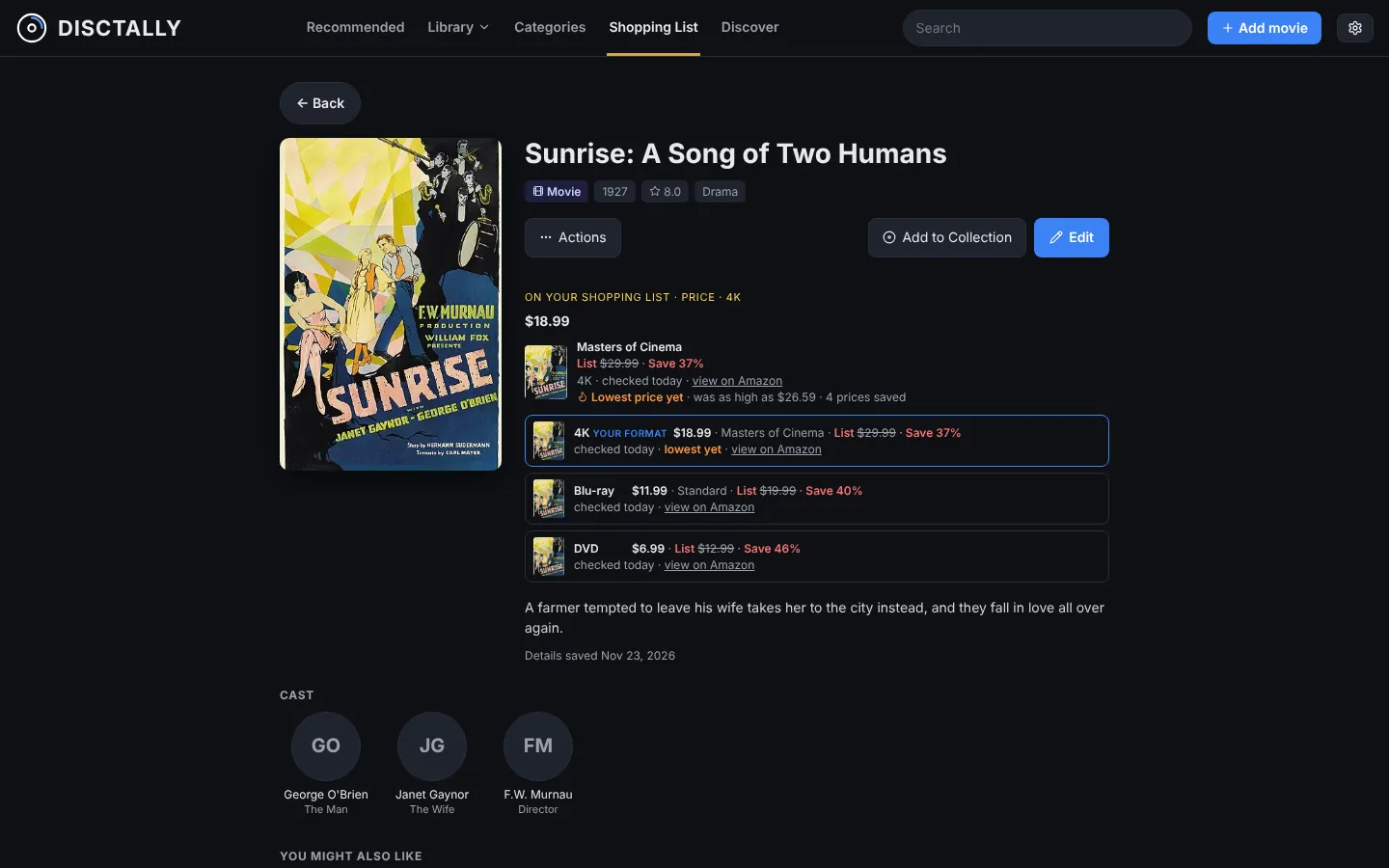
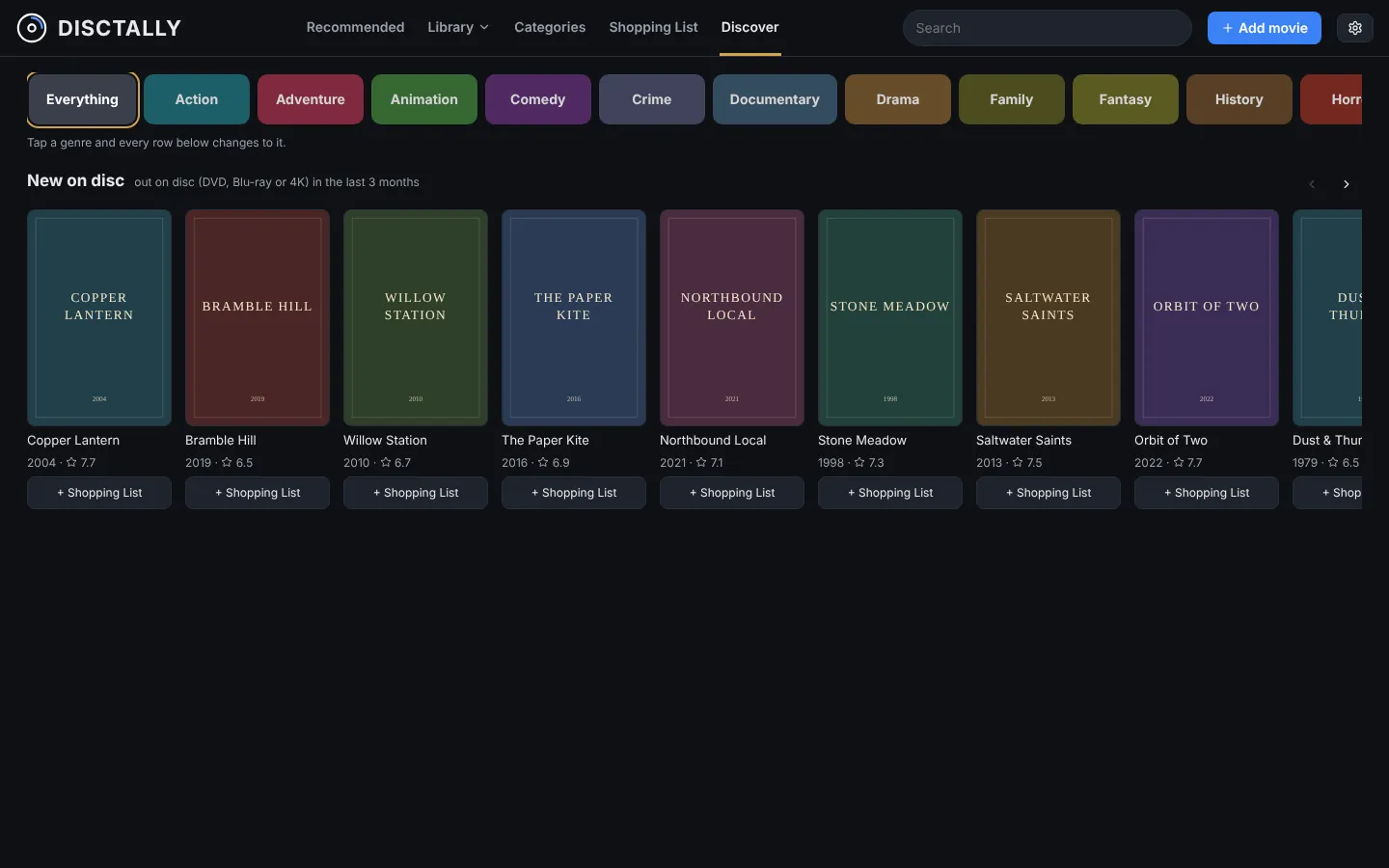
Browse by genre and find movies you don't have yet. Anything you already own or have on your Shopping List stays out of the way, so you never buy the same disc twice.
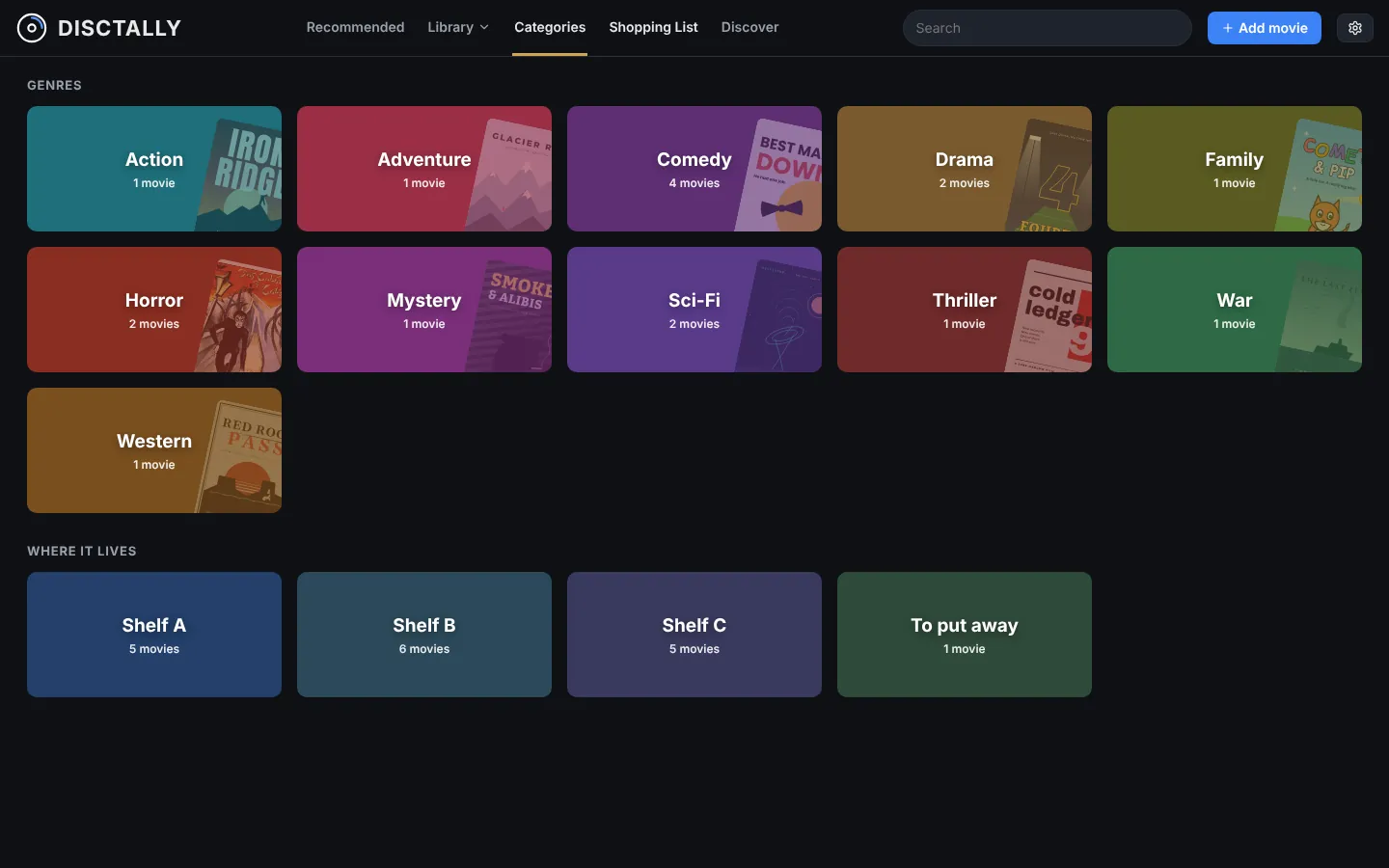
Jump into your collection by genre or by where it lives. Tap a shelf and its discs come up in slot order, ready to check.
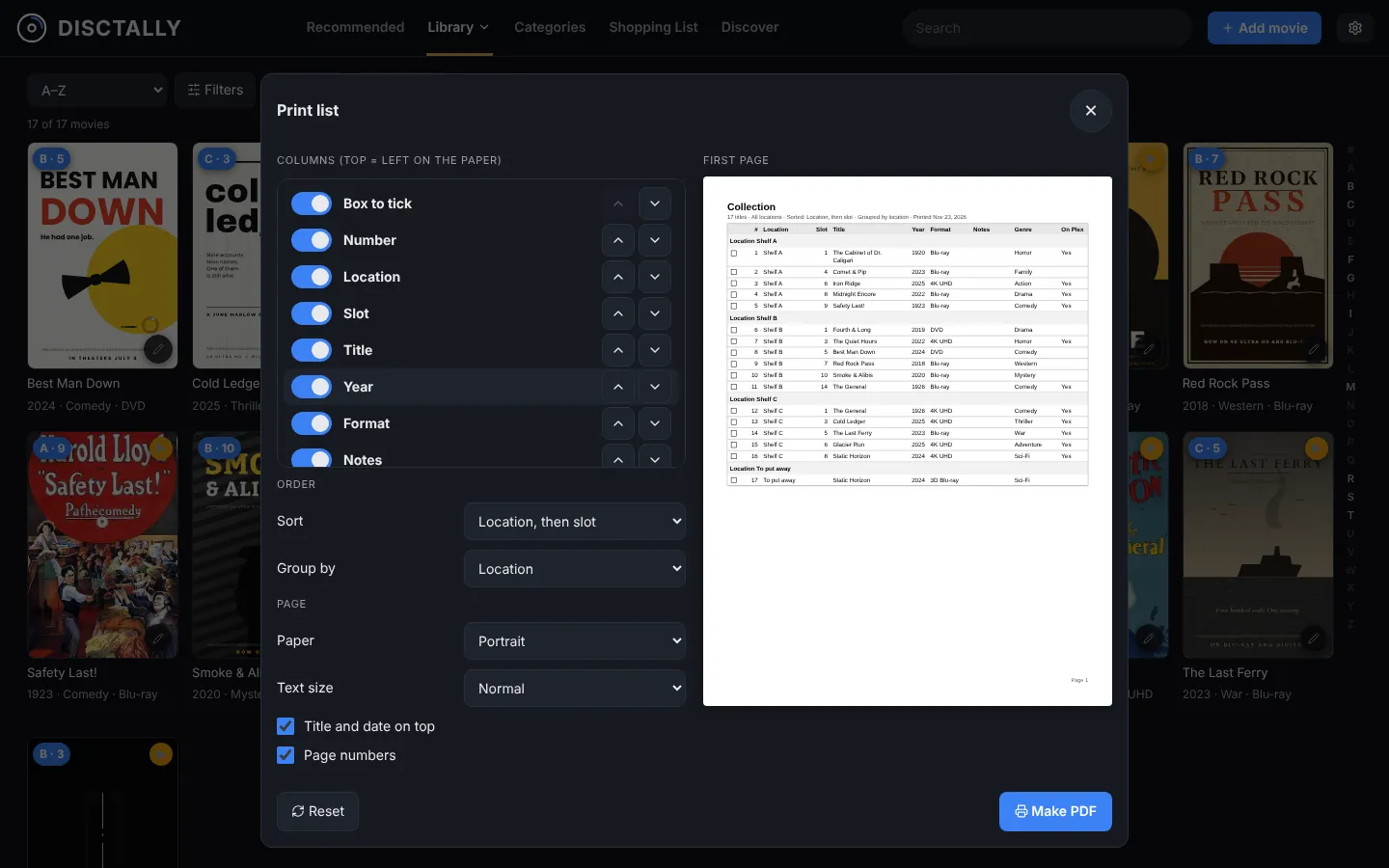
Print any list you're looking at as a PDF. Pick the columns and their order, group it by shelf, choose portrait or landscape and the text size, and see the first page before you print. It remembers how you like it.
DiscTally gets new features all the time. This list keeps up with them. See every screen and what's coming next.
DiscTally is still being built and tested. Join the list and we'll email you when the first test spots open. It'll be free to try.